
There are videos all over the internet, from ads and websites to social media feeds. But have you ever wondered why some videos keep you watching while others make you scroll away in just a few seconds? The length of the video is very important. The length of a video is very important for keeping viewers interested or losing interest.
Marketers and creators need to know how people think in order to make videos that really connect with them. This is why a video trimmer is such an important tool. Pippit has a free online video trimming tool that lets you cut your videos down to the right length so that they are clear, short, and interesting.
 How the length of a video affects how much people pay attention
 How the length of a video affects how much people pay attention
People can’t focus for very long, especially when they’re online. Studies show that people make up their minds about whether or not to keep watching in the first few seconds. You might feel overwhelmed or bored if a video goes on for too long without giving you anything useful.
Videos that are shorter usually do better because they are more respectful of the viewer’s time and get to the point quickly. But cutting a video isn’t just about making it shorter; it’s also about making it flow smoothly and keeping people’s interest from start to finish.
The role of a video trimmer in shaping video length
There are often parts of raw footage that you don’t need, like long pauses, scenes that repeat, or content that doesn’t have anything to do with your message. You can get rid of these distractions with a video trimming tool, so you can focus on what’s most important.
Pippit AI’s video trimming tool lets you cut your videos perfectly.
This means you can cut your video exactly where you want, even down to the frame. You won’t miss any important parts this way, and there won’t be any awkward jumps that break up the flow. You can make small changes to each cut in real time until your video feels natural and interesting.
Step 1: Upload your video to Pippit AI
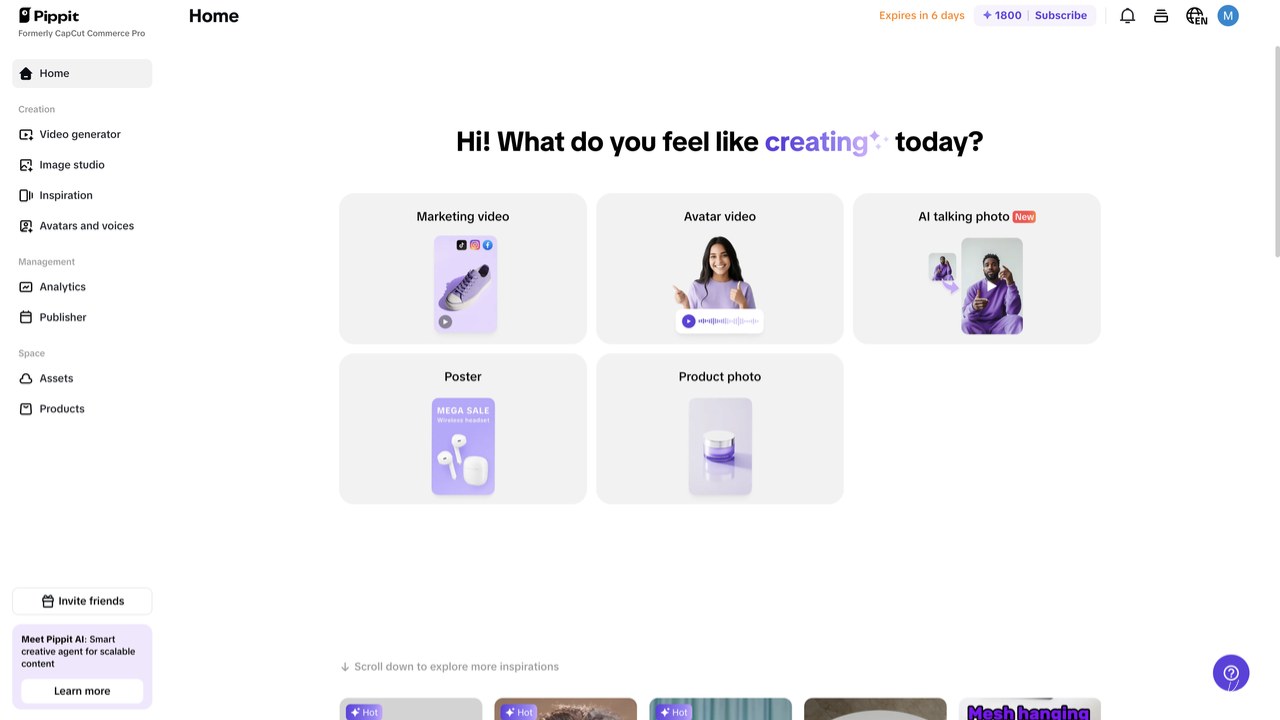
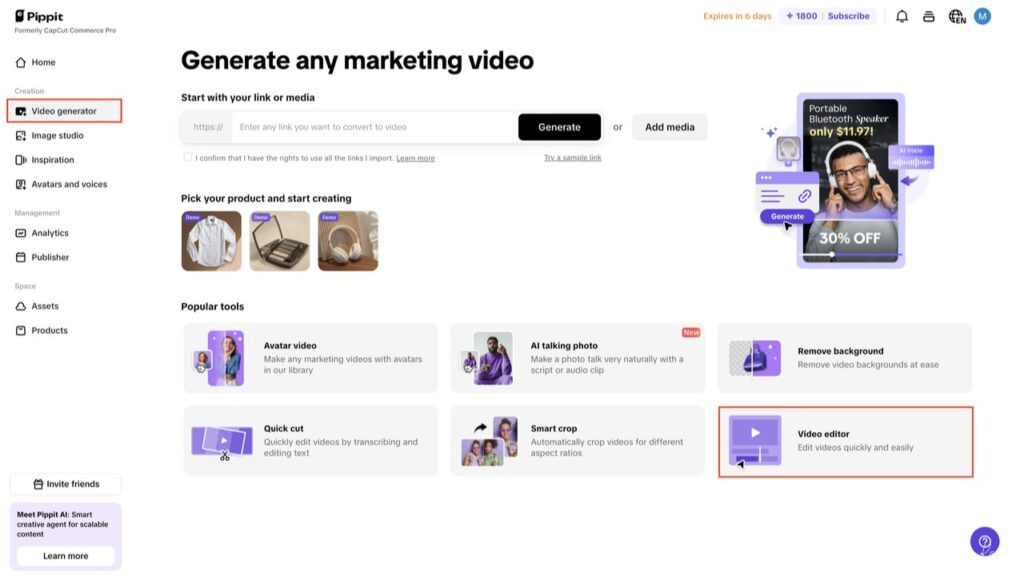
First, you need to upload your video to the editing platform of Pippit AI. It’s free to sign up, and you don’t need a credit card. Once you’re logged in, go to the dashboard and click on “Video generator” in the left menu. Then, click on “Video editor.”
You can upload your raw video by clicking “Click to upload” or by dragging and dropping your file here. This simple step gets your content ready to be cut and improved.
Step 2: Trim to optimize length and flow
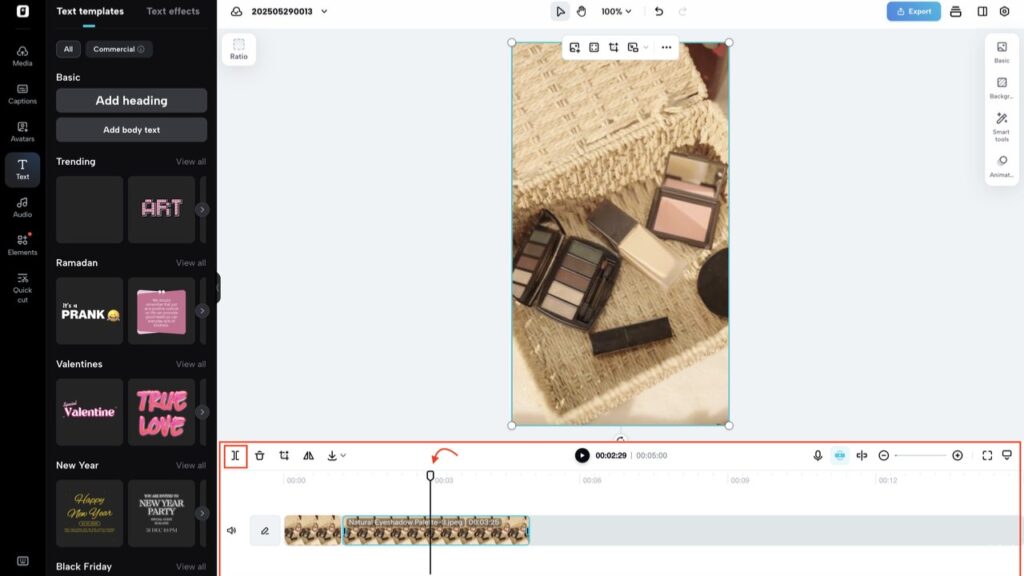
After you upload the video, use the video trimming tool to start editing it. To cut down on the length of your video, click on it in the timeline and drag the handles at the beginning or end. Move the playhead to the right frame, click “Split,” and then delete the parts you don’t want to get rid of scenes that aren’t needed in the middle.
This trimming gets rid of dead space, awkward pauses, and parts that repeat themselves that can make people lose interest. The goal is to tell a smooth and interesting story in a short video.
Step 3: Export and share your optimized video
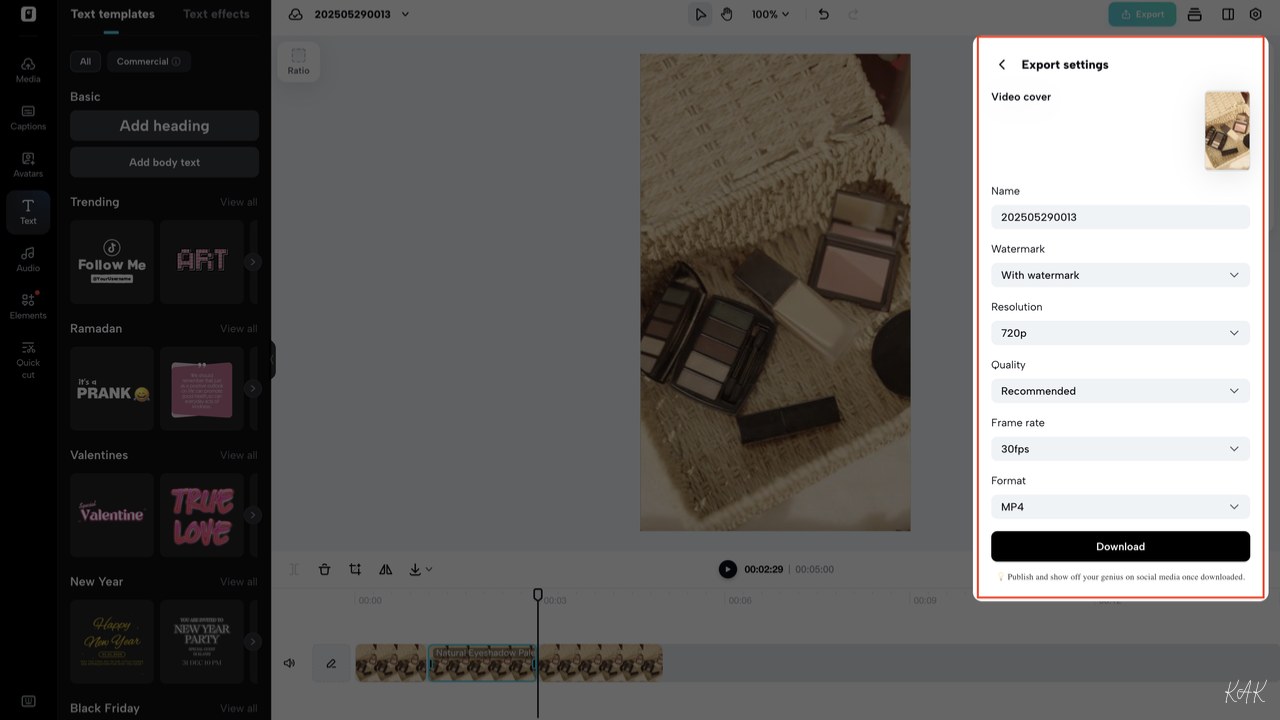
Click “Export” in the top right corner when your video is the right length. Choose the resolution, format, frame rate, and quality that you like best. You can either download the video from Pippit or share it right away on your social media accounts.
More people will watch your videos all the way through, interact with them, and do what you want them to do if they are the right length and flow well.
Finding the right length for the content’s quality
Most of the time, shorter videos do better, but you shouldn’t lower the quality of the content. If a video is too short, people might not understand it or want more. Cutting carefully is the most important thing. You should only take out what you don’t need and leave enough detail to inform, entertain, or persuade.
Pippit AI’s video trimming tool helps you find this balance by letting you choose where to cut so that your videos are both short and full.
Enhancing engagement beyond trimming
In addition to trimming, Pippit has features that make people more interested in what you do. Smooth transitions hide cuts, animations make things more interesting to look at, and taking away the background draws attention to the main subjects.
Automatic captions make it easier to understand videos, which helps them get more views. These tools, when used together with precise trimming, make videos that are the right length and look professional.
Why the length of a video matters on every platform
The best length for a video varies by platform. For example, short, punchy clips that last between 15 and 60 seconds do well on Instagram Reels, but YouTube viewers might like longer, more in-depth videos. You can reach and change the most people by knowing what they like and making changes to fit them.
Pippit AI’s video trimming tool makes it easy to change the format and length of your videos for each platform, so you know they’ll be right for your audience.
Conclusion
It’s important to respect your viewers’ time in a world where there is so much content. Psychology of video length shows that shorter, well-edited videos keep people watching longer and make them want to interact.
Pippit AI’s free online video trimming tool lets you cut your videos exactly, get rid of distractions, and make them the right length to keep people interested. It’s easy to make videos that work well on all platforms by following these three simple steps: uploading, trimming, and exporting.