
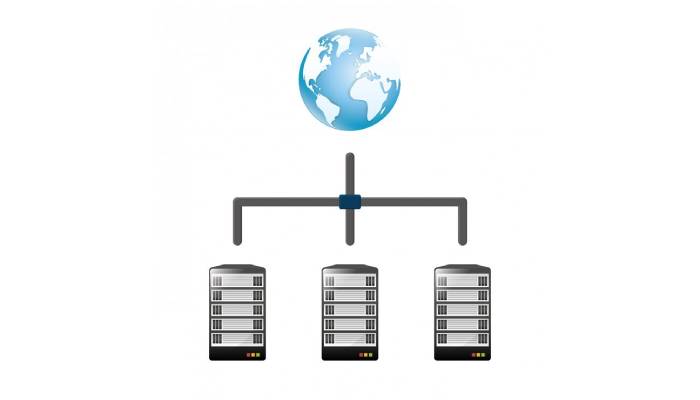
Troubleshooting Network Load Balancer issues can seem overwhelming, but it’s all about systematic diagnosis. Start by identifying common issues, such as unhealthy targets not passing health checks. Ensure the security group and network ACL settings are properly configured. If requests aren’t reaching backend services, check the targets’ availability zones and network permissions. Performance metrics like ActiveFlowCount and UnHealthyHostCount are crucial for pinpointing problems early on. Additionally, look into SSL configurations if you encounter connection timeouts or certificate errors. Regularly reviewing health check setups and monitoring traffic distribution helps maintain efficiency over time, keeping everything running smoothly is the goal here.\
Overview of Network Load Balancers
Network Load Balancer (NLBs) are essential tools that help manage incoming traffic by distributing it across multiple targets, such as server instances or containers. They operate primarily at Layer 4 of the OSI model, allowing them to handle TCP and UDP traffic effectively. NLBs are designed to scale and can manage millions of requests per second while ensuring ultra-low latency, making them ideal for applications with high traffic demands.
There are different types of load balancers, including Layer 4 and Layer 7, each serving distinct purposes. Layer 4 load balancers route traffic based on IP address and TCP/UDP headers, while Layer 7 load balancers can make decisions based on application-level data, like HTTP headers. This versatility allows organizations to choose the right load balancer based on their specific needs.
NLBs are particularly useful in dynamic environments as they integrate seamlessly with auto-scaling and other cloud services, adapting to changes in traffic and resource availability. They support various protocols, including TCP, UDP, and TLS, which enhances their applicability across different types of applications.
Additionally, NLBs can maintain sticky sessions, ensuring that requests from the same client are consistently routed to the same backend target. This functionality is crucial for applications where user session continuity is important. Regular health checks are also a key feature, enabling NLBs to monitor the status of targets and direct traffic only to healthy instances, thereby improving reliability.
NLBs can assign static IP addresses, providing a consistent access point for clients. This is beneficial for applications that require stable endpoint configurations. Furthermore, cross-zone load balancing helps distribute traffic evenly across targets in multiple availability zones, enhancing fault tolerance and resource utilization. Finally, NLBs come equipped with security features that enable integration with security groups, helping control access and protect backend services from unauthorized traffic.

Common Issues and Solutions

Unhealthy targets can often lead to service disruption. This issue typically arises from misconfigured health checks or network problems. To resolve this, check the target settings and examine the logs for any errors. If requests are not being routed to targets, it may be due to security group restrictions or targets being unavailable in designated zones. Ensuring that security groups permit traffic and that targets are active in the right availability zones can help.
Health check issues can also present challenges, as improperly configured checks may lead to targets appearing unhealthy. It’s essential to verify that health checks are set up correctly and that targets respond appropriately. If timeouts occur, reviewing the timeout settings for both the load balancer and backend targets is crucial to ensure they align with expected performance.
Overloaded targets can cause slow responses or failures in handling requests. Monitoring server load is vital; consider scaling resources or adding more targets to distribute the traffic effectively. DNS issues may arise if records do not point correctly to the load balancer, or if caching leads to stale resolutions. Always validate DNS configurations to avoid such problems.
Misconfigured security groups and networking ACLs can block necessary traffic. Regular audits of security group rules and network ACLs can help prevent these issues. Additionally, ensure that the protocol used by the load balancer matches what the targets expect; a mismatch can lead to connectivity problems. Finally, check for any service dependencies that might cause backend services to be unavailable, as these can significantly impact overall performance.
Performance Metrics to Monitor
Monitoring performance metrics is essential for diagnosing network load balancer issues effectively. Key metrics include ActiveFlowCount, which indicates the number of active connections; a sudden drop can signal issues with backend targets. UnHealthyHostCount helps identify if backend services are responding adequately to health checks, while TCP_ELB_Reset_Count reveals the number of TCP resets sent to clients, highlighting potential connection problems. Latency is another crucial metric, as high latency can indicate bottlenecks in processing requests. Tracking RequestCount over time can help pinpoint peak usage periods, and TargetResponseTime measures how long targets take to respond, assisting in identifying slow services. ConnectionCount is valuable for load distribution analysis, while DataProcessed shows the amount of data handled, ensuring targets are not overwhelmed. Lastly, monitoring ErrorRate can help analyze the percentage of requests that result in errors, pointing to underlying issues. Keeping an eye on utilization metrics, such as CPU, memory, and network usage of backend targets, is vital for ensuring optimal performance.
Troubleshooting Steps for NLB
Start by checking your network configuration. Ensure that all security groups and routing tables are properly set up to allow traffic flow. Misconfigured settings can lead to major issues. Next, run performance and latency tests using tools like ping and traceroute. These can help identify any latency problems or dropped packets within the network.
Enable logging and monitoring features to gain better visibility into both load balancer and backend performance. Detailed logs can highlight patterns that are not immediately obvious. Additionally, review health check logs to find out why certain targets may be marked as unhealthy. This can provide insight into underlying connectivity issues that need attention.
Examine the load balancer settings to ensure they are correctly configured for your specific use case. Pay close attention to timeout settings and load balancing algorithms, as these can significantly impact performance. Analyzing VPC flow logs can also help you visualize traffic patterns and detect any anomalies or bottlenecks.
Conduct end-to-end tests by simulating requests. This helps identify specific failure points in the traffic flow from client to backend. Also, keep an eye out for configuration drift. Settings can change over time, and ensuring consistency is key to maintaining performance.
Implement alerts for critical performance metrics or errors. Proactive notifications allow for quicker responses to issues before they escalate. Lastly, don’t forget to consult the latest vendor documentation for troubleshooting advice and configuration guidelines, as updates can provide new solutions to existing problems.
Specific Troubleshooting Scenarios
TCP connection issues can arise when clients experience timeouts. In such cases, it’s wise to check NAT settings and ensure that client IP persistence configurations are set correctly. For SSL configuration problems, make sure that SSL certificates are valid and properly configured on both the load balancer and the backend targets; certificate mismatches can lead to connection failures.
If you’re facing uneven traffic distribution, analyzing VPC flow logs can help identify whether the loads are balanced across all targets. Additionally, verifying that cross-zone load balancing is enabled is crucial, as imbalances may occur without it. In instances of domain name resolution problems, check the DNS configuration for the load balancer to ensure it’s correct and functioning as expected.
Backend service failures can significantly affect load balancing, so investigating any downtime or performance degradation of backend services is essential. Protocol-related issues may also surface; ensure that the protocols used by the load balancer and backend services match, such as distinguishing between HTTP and HTTPS.
Session stickiness problems require a review of configurations to guarantee that users are consistently routed to the same target when needed. Lastly, inspect firewall settings for any conflicting rules that might restrict necessary traffic. If unexpected traffic spikes occur, monitoring traffic patterns can help identify if sudden increases are causing issues, prompting considerations for scaling or throttling.
Tips and Best Practices
Regularly reviewing health check configurations is essential to ensure they truly reflect the service status and performance. This way, you can catch any discrepancies early on. Continuously monitoring performance metrics helps identify anomalies before they escalate into significant issues. Make sure your backend services are scaled adequately to handle peak traffic loads, preventing service degradation during high-demand periods. Enhancing reliability involves implementing redundancy by deploying multiple load balancers, which helps avoid single points of failure.
Utilizing tagging for resource management can greatly improve the identification of load balancers and targets, especially in large environments. Documenting configurations and any changes made to the load balancer is crucial for future reference, aiding in troubleshooting. Employing version control for configuration files allows you to track changes and revert if necessary, providing a safety net during adjustments. Setting up automated alerts for critical performance metrics enables instant response to potential issues, improving your operational efficiency.
Conducting periodic load testing ensures that your system can manage expected traffic levels effectively. Finally, educating team members on troubleshooting techniques can enhance overall operational efficiency, as a well-informed team can address issues promptly and effectively.
- Regularly review health check configurations to ensure they accurately reflect service status and performance.
- Continuously monitor performance metrics to catch anomalies before they lead to issues.
- Ensure backend services are sufficiently scaled to handle peak traffic loads without degradation.
- Implement redundancy by deploying multiple load balancers to avoid single points of failure.
- Utilize tagging for better resource management and easier identification of load balancers and targets in large environments.
- Document configurations and changes made to the load balancer for future reference and troubleshooting.
- Use version control for configuration files to track changes and revert if necessary.
- Set up automated alerts for critical performance metrics to respond to issues instantly.
- Conduct periodic load testing to ensure the system can handle expected traffic levels.
- Educate team members on troubleshooting techniques to enhance overall operational efficiency.
Frequently Asked Questions
What signs indicate a problem with my network load balancer?
Common signs include slow response times, uneven traffic distribution across servers, or certain users experiencing downtime while others do not.
How can I check if my network load balancer is configured correctly?
You can verify the configuration by reviewing the settings in your load balancer’s management console, checking health check settings, and confirming that all backend servers are correctly registered.
What should I do if my load balancer is not routing traffic as expected?
First, check the health of the upstream servers. Then, ensure that your load balancing algorithm is set up correctly and that there are no firewall issues blocking traffic.
Why does my load balancer show high latency, and how do I address it?
High latency can be caused by network congestion, inefficient routing rules, or overloaded backend servers. To remedy this, analyze traffic patterns and consider optimizing your server resources.
How do I keep an eye on my load balancer’s performance?
You can monitor performance using built-in metrics provided by your load balancer, third-party monitoring tools, or by setting up alerts for unusual spikes in traffic or errors.
TL;DR Network Load Balancers are essential for traffic distribution but can experience issues like unhealthy targets, routing errors, and health check failures. To troubleshoot, verify security group settings, network configurations, and health check protocols. Monitor key performance metrics such as active connections and unhealthy targets. Employ systematic steps for diagnosing problems and reference specific scenarios like TCP connection issues and SSL configurations, ensuring smooth operation. Regular reviews of health checks and performance monitoring help maintain reliability.