

Online exams are now a normal part of education, hiring, and professional certifications, but they also bring serious concerns about cheating and exam integrity. A software secure remote proctor solution helps institutions run online tests safely by monitoring candidates and safeguarding exam content without requiring them to visit a physical test center.
This article explains what software secure remote proctoring is, how it works, its benefits and challenges, and what to look for when choosing a solution, especially if you want a fair, user‑friendly, and scalable exam system. It is written in simple language so educators, HR teams, and business owners can understand how to use these tools confidently.
Software Secure Remote Proctor
A software secure remote proctor system is a digital proctoring tool that uses a candidate’s own computer, webcam, microphone, and internet connection to monitor an exam session in real time or through automated AI review. Instead of hiring in‑person invigilators at a test center, organizations can rely on this software to verify identity, watch for suspicious behavior, and lock down the exam environment.
These systems typically include features like secure browser lockdown, identity verification, screen recording, webcam video, audio monitoring, and detailed activity logs for each test taker. They can work with popular learning management systems and online testing platforms so that universities, training organizations, and certification bodies can integrate secure exams into existing workflows without rebuilding their entire tech stack.
Why Choose Software Secure Remote Proctor?
Choosing a software secure remote proctor solution is often about balancing security, convenience, and fairness for test takers. Institutions want to prevent cheating and protect their reputation, but they also want students and candidates to feel respected and not overwhelmed by complicated exam setups.
How Does Software Secure Remote Proctor Work?
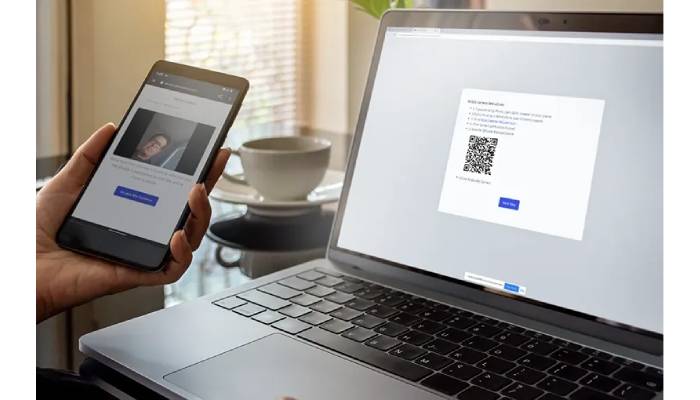
To understand how a software secure remote proctor platform actually functions, it helps to look at the typical exam flow from the candidate’s perspective. Usually, the process starts with the candidate receiving a link or access code to the exam along with system requirements such as a webcam, microphone, and stable internet connection.
Before the exam begins, the candidate may be asked to complete identity verification steps, which can include taking a photo of a government ID, capturing a live selfie, or recording a short video to confirm that the person taking the exam is the registered test taker. Once verified, the secure browser or proctoring application launches, locking down the device by restricting access to other applications, websites, and screen‑sharing tools while the exam is in progress. Throughout the exam, the system can record the screen, webcam feed, and audio, using either live human proctors, AI‑based behavior analysis, or a combination of both to flag suspicious activities such as talking in the background, multiple people appearing on camera, or attempts to navigate away from the test window.
Key Features To Look For In Software Secure Remote Proctor
When selecting a software secure remote proctor solution, organizations should look beyond basic monitoring and focus on features that support real‑world exam conditions. For instance, flexible proctoring modes are important: some exams may only need automated recording and post‑exam review, while high‑stakes tests might demand live human proctors who can intervene in real time.
Another essential feature is robust exam security, including secure browser locking, prevention of copy‑paste, detection of multiple monitors, and protection against screen‑sharing tools. Institutions should also look for strong reporting capabilities that allow them to review exam sessions, see timestamps of flagged events, and generate documentation if a cheating case is escalated. Finally, good user experience is crucial: clear instructions, easy setup, and reliable technical support can significantly reduce stress for both candidates and administrators.
Balancing Exam Integrity And Privacy With Software Secure Remote Proctor
One of the most common questions around software secure remote proctoring is how to maintain exam integrity without violating privacy or creating an atmosphere of distrust. Candidates are increasingly aware of how their data is collected and stored, so institutions must communicate clearly and choose tools that respect privacy laws and best practices.
Common Challenges When Using Software Secure Remote Proctor
Even though software secure remote proctor tools are powerful, they are not without challenges, and understanding these early can help institutions prepare better. One major issue is unequal access to technology: some candidates may have older devices, weaker internet connections, or limited access to a quiet, private space, which can affect their ability to complete the exam smoothly.
Technical glitches such as dropped connections, audio problems, or webcam failures can also cause stress during exams and may require clear policies on how to handle interruptions fairly. Additionally, false positives in AI‑based monitoring—such as flagging normal movements or background sounds—can create extra work for administrators who must review recordings and decide whether incidents truly indicate misconduct. Choosing a mature platform and offering clear troubleshooting guidance can greatly reduce these issues and support a more consistent experience.
How Businesses And Institutions Benefit From Software Secure Remote Proctor?
Businesses, universities, and training organizations are turning to software secure remote proctor solutions because they enable scalable, flexible assessment programs that were difficult to manage with traditional test centers. Companies can run hiring assessments or compliance exams for employees in multiple locations at the same time without renting physical venues, which reduces operational costs and speeds up decision‑making.
Educational institutions can offer remote exams to students who cannot travel to campus, supporting distance learning and improving accessibility for working professionals or learners from different regions. Over time, centralized reporting and analytics from proctoring platforms help these organizations understand patterns such as peak cheating attempts, common technical issues, and the effectiveness of different proctoring modes, allowing them to improve exam design and policies continuously.
Integrating Software Secure Remote Proctor With Existing Systems
For many organizations, a key requirement is that the software secure remote proctor solution works smoothly with existing learning management systems, exam tools, and identity platforms. Direct integrations reduce manual work by automatically syncing courses, exams, user accounts, and results between platforms.
This kind of integration means that instructors can create exams in their usual system and simply toggle on remote proctoring options rather than managing separate logins and workflows. It also helps with reporting and auditing, since exam results, proctoring flags, and attendance records can be stored together and accessed by authorized staff through familiar dashboards. For organizations with strict security or compliance requirements, working with a vendor that supports secure APIs, encryption, and role‑based access control is especially important.
Conclusion
Software secure remote proctor solutions have become a foundational part of modern assessment strategies, allowing organizations to deliver secure exams to candidates anywhere in the world. When implemented thoughtfully, these tools help protect exam integrity, support flexible access, and provide detailed insights into exam sessions without overwhelming administrators or test takers.