
Online education and digital learning have transformed the way we study and take exams. One of the most innovative solutions in this shift is the remote proctoring test, which allows candidates to appear for examinations from the comfort of their homes. While the idea sounds convenient, many first-time test-takers wonder: What exactly happens during a remote proctoring test?
In this article, we will walk you through every step of the process, from setup to submission, to help you feel prepared and confident.
What is a Remote Proctoring Test?
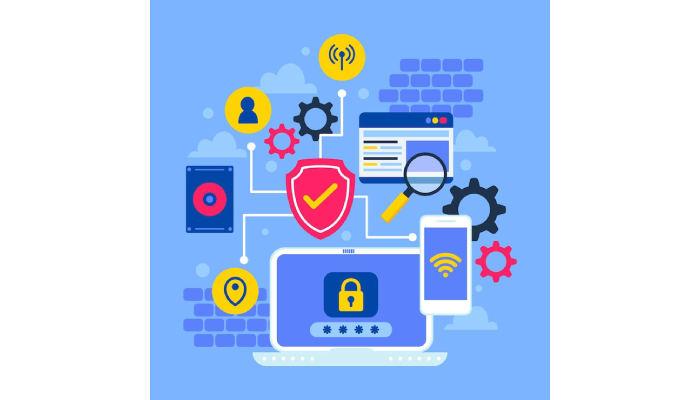
A remote proctoring test is an online exam that is monitored through advanced technology instead of a traditional in-person invigilator. Using a combination of your webcam, microphone, screen monitoring, and artificial intelligence (AI), the test ensures integrity and fairness.
This setup prevents cheating and maintains the credibility of online assessments, making it popular in universities, corporate certifications, and competitive exams.
Pre-Test Preparation: What You Need Beforehand
Before the exam day, candidates are usually required to:
- System Check
- The proctoring platform tests your laptop or desktop for minimum requirements:
- Stable internet connection
- Functioning webcam & microphone
- Latest version of browser
- Installed proctoring software (if required)
- The proctoring platform tests your laptop or desktop for minimum requirements:
- ID Verification Documents
- Valid government ID or student ID for identity verification.
- Testing Environment Setup
- A quiet, well-lit room
- No external devices like mobile phones, headphones, or additional monitors
- A clear desk without books, papers, or gadgets
Step 1: Logging into the Test Platform
On exam day, you receive a secure login link or credentials from the test provider. After signing in:
- You’ll be guided through system permissions for camera, microphone, and screen sharing.
- The software ensures no other tabs or background applications are running.
This stage guarantees that the exam is conducted in a secure and controlled environment.
Step 2: Identity Verification
Identity verification is a critical step in a remote proctoring test. This can be done in two ways:
- Live Proctor Verification – A human proctor asks you to hold your ID card in front of the camera, verify your face, and sometimes even perform random checks.
- AI-Based Verification – The system automatically matches your photo ID with your live face using AI face recognition technology.
Some platforms also ask you to scan your surroundings using the webcam to confirm no prohibited items are nearby.
Step 3: Test Instructions and Rules
Before starting the test, you’ll see an instruction screen that highlights rules such as:
- No switching tabs or using external devices
- No background noise or interruptions
- No copying, screenshots, or unauthorized breaks
These instructions set clear expectations and reduce violations during the exam.
Step 4: Live Proctoring and AI Monitoring
During the remote proctoring test, monitoring happens in real time through multiple methods:
- Webcam Monitoring
- Records your face and surroundings throughout the test.
- Detects suspicious movements or presence of others in the room.
- Microphone Monitoring
- Captures background noises.
- Alerts if voices or conversations are detected.
- Screen Monitoring
- Tracks if you try to open new windows, copy-paste, or use restricted applications.
- AI Algorithms
- Detect unusual behaviors such as looking away frequently, using another device, or leaving the screen.
- Some advanced tools even track eye movements to detect suspicious activity.
- Human Proctors
- In some setups, a live human invigilator supervises multiple candidates at once.
- They can chat with you via text or voice if they notice unusual behavior.
Step 5: Taking the Test
Once monitoring is active, you begin answering the questions:
- Tests can include MCQs, descriptive answers, coding challenges, or case studies.
- The interface is usually simple, with navigation buttons for next/previous.
- A visible timer shows the remaining duration.
During the test, if there is any technical issue (like internet disconnection), the proctoring software usually:
- Saves your progress automatically
- Pauses the test until you reconnect
- Alerts the proctor about the disconnection
Step 6: Flagging and Alerts
If any suspicious activity is detected:
- AI Proctoring automatically flags the event (e.g., if you look away too often).
- Live Proctors may send a warning through chat.
- Repeated violations could result in the exam being terminated or reported as malpractice.
Step 7: Submitting the Test
At the end of the exam:
- You’ll see a confirmation screen before final submission.
- Once submitted, your answers are securely encrypted and stored.
- Some tests provide instant results (like MCQs), while others (like essays) require manual evaluation.
Post-Test Review
After the remote proctoring test, the monitoring system generates a proctoring report. This includes:
- Identity verification results
- Suspicious behavior flags
- Screen activity logs
- Audio-video recordings
Institutions or organizations use this report to validate the fairness of the exam before releasing results.
Advantages of a Remote Proctoring Test
- Convenience – Take exams from anywhere without travel.
- Security – AI + human monitoring prevents cheating.
- Scalability – Institutions can test thousands of candidates at once.
- Accessibility – Perfect for working professionals and distance learners.
Challenges of Remote Proctoring
While useful, candidates should also be aware of potential challenges:
- Technical issues (internet drop, webcam malfunction)
- Privacy concerns due to constant monitoring
- Anxiety about being recorded throughout the test
- Requirement of a distraction-free environment
Conclusion
A remote proctoring test is designed to balance convenience with integrity. From identity checks to live AI monitoring, every step ensures that exams are fair and secure. If you’re preparing for one, make sure your system is ready, your room is distraction-free, and you carefully follow all rules.
By knowing what happens during a remote proctoring test, you can appear with confidence and focus entirely on performing your best.